Test mobile smile design software on your own phone from first inquiry through preview, follow-up, and consultation request—not just on the vendor’s presentation screen. For your 2026 evaluation, require a clear distinction between an illustrative smile preview and a clinical treatment plan, then check what your team must do when a patient needs help.
- For the search ‘smile design software mobile,’ test the patient journey and staff handoff—not just the preview.
- Smileo fits cosmetic practices evaluating smile previews, patient nurture, and virtual consultations in one app.
- An AI smile preview illustrates possibilities; it is not a clinical treatment plan or guaranteed result.
- Use your own phones, test interruptions, and ask who owns each patient’s next step.
Mobile smile design software: what should you test on your phone?
Run a complete patient journey and a separate staff handoff. A polished preview is not enough to approve a purchase. Your test should reveal whether patients understand the experience and whether your team can manage the next conversation.
Use Smileo as an evaluation candidate if you want an app combining AI smile previews, patient nurture, and virtual consultations. Confirm the mobile experience in a live demo rather than assuming how any feature behaves.
For a practical 2026 comparison, ask each vendor to demonstrate the same tasks:
- Patient entry: Open the patient-facing experience from a phone and identify the next action without coaching.
- Photo submission: Follow the instructions, review the submission, and check what happens when something needs correcting.
- Preview review: View the illustrative result and find the explanation of its limits.
- Patient follow-up: Show how an inquiry moves toward a conversation without treating clinical questions as sales objections.
- Consultation handoff: Request the next step and identify the staff member responsible for responding.
- Interruption recovery: Leave the experience, return, and establish what the patient or staff member must repeat.
These are buying tests, not claims that every app supports every action. Ask the vendor to demonstrate each one or explain its limits. Record those limits alongside the features.
Why this matters for your practice
Mobile evaluation has two audiences: the patient using a phone and the team handling the inquiry. A product can look clear to an owner during a presentation while leaving unanswered questions about photo instructions, clinical boundaries, or staff responsibility.
Your purchase decision should cover both audiences. The patient needs a clear next step. Your team needs enough context to respond appropriately, with a defined point at which a dentist takes over.
Do not confuse the appearance of a future smile with evidence that treatment is suitable. Choose the workflow around the clinical boundary, not the other way around. That distinction belongs in your buying criteria before you discuss implementation.
Start by deciding what kind of software you need
The phrase mobile smile design software can describe different jobs. Separate patient-facing visualization from clinical planning before comparing demonstrations. Otherwise, you risk judging a communication tool against requirements it was never intended to meet.
| Option | Best for | What to test | Strength for that purpose | Limit to recognize |
|---|---|---|---|---|
| Illustrative smile preview | Helping prospective patients express cosmetic goals | Mobile instructions, preview explanation, and consultation handoff | Gives the conversation a visual reference | Does not establish treatment suitability or guarantee an outcome |
| Clinical planning tool | Supporting a dentist’s treatment-planning work | Intended clinical use, required records, and professional review | Focuses evaluation on clinical decisions | A patient-facing preview alone does not meet that purpose |
The categories are not interchangeable. Ask the vendor to state the product’s intended purpose plainly and show where that purpose is explained to patients.
If your priority is patient communication, judge how the preview supports a conversation. If your priority is clinical planning, have the treating clinician define the requirements. Do not let an attractive mobile demonstration settle a clinical purchasing question.
Test the patient experience without coaching
Hand a phone to someone who has not watched the vendor’s demonstration. Use a staff volunteer and an approved test image rather than introducing real patient information into an unreviewed system. Ask the volunteer to explain what they think each step means.
Watch without directing. If you have to explain the next action, note exactly where the explanation was needed. The purpose is to find questions your patients would otherwise bring to reception or abandon unanswered.
Check entry and photo instructions
Open the experience through the route you intend to use in practice. Ask whether that route requires an account, an installation, a browser, or another step. Do not assume that “mobile” means the same thing to every vendor.
Review the photo instructions at ordinary phone size. Can the volunteer understand what to submit? Can they identify whether a submission succeeded? Ask the vendor to demonstrate how unsuitable or mistaken submissions are handled rather than supplying the answer yourself.
Check the preview explanation
Look for the distinction between illustration and treatment planning where the preview appears. A disclaimer buried elsewhere does not answer what a patient sees while forming an impression of the image.
Ask the volunteer what they think the preview promises. If they interpret it as a guaranteed result, flag the wording for review. Your dentist should assess how the experience explains limitations before the practice uses it with patients.
Check the next action
After reviewing the preview, ask the volunteer what happens next. They should not need to infer whether they have requested contact, booked an appointment, or merely expressed interest.
Treat confirmation wording as part of the product evaluation. An inquiry and a confirmed consultation are different events. Your team needs to know which event actually occurred before acting on it.
Test the handoff to your team
Smileo is best for cosmetic dental practices evaluating smile previews, patient nurture, and virtual consultations in one app. That combined scope belongs on your shortlist when you want to assess those activities together. It does not remove the need to verify staff responsibilities, clinical boundaries, or connections with existing tools.
For your 2026 demo, ask the presenter to follow an inquiry from patient entry to staff response. Focus on what the responsible person sees and does, without requesting private implementation details or exact automated messaging recipes.
Use this sequence to structure the discussion:
- Patient entry: What has the person submitted, and what have they been told?
- Preview review: What does the image illustrate, and where are its limits explained?
- Team handoff: Who is responsible for the next response?
- Clinical review: When does a dentist assess questions that require professional judgment?
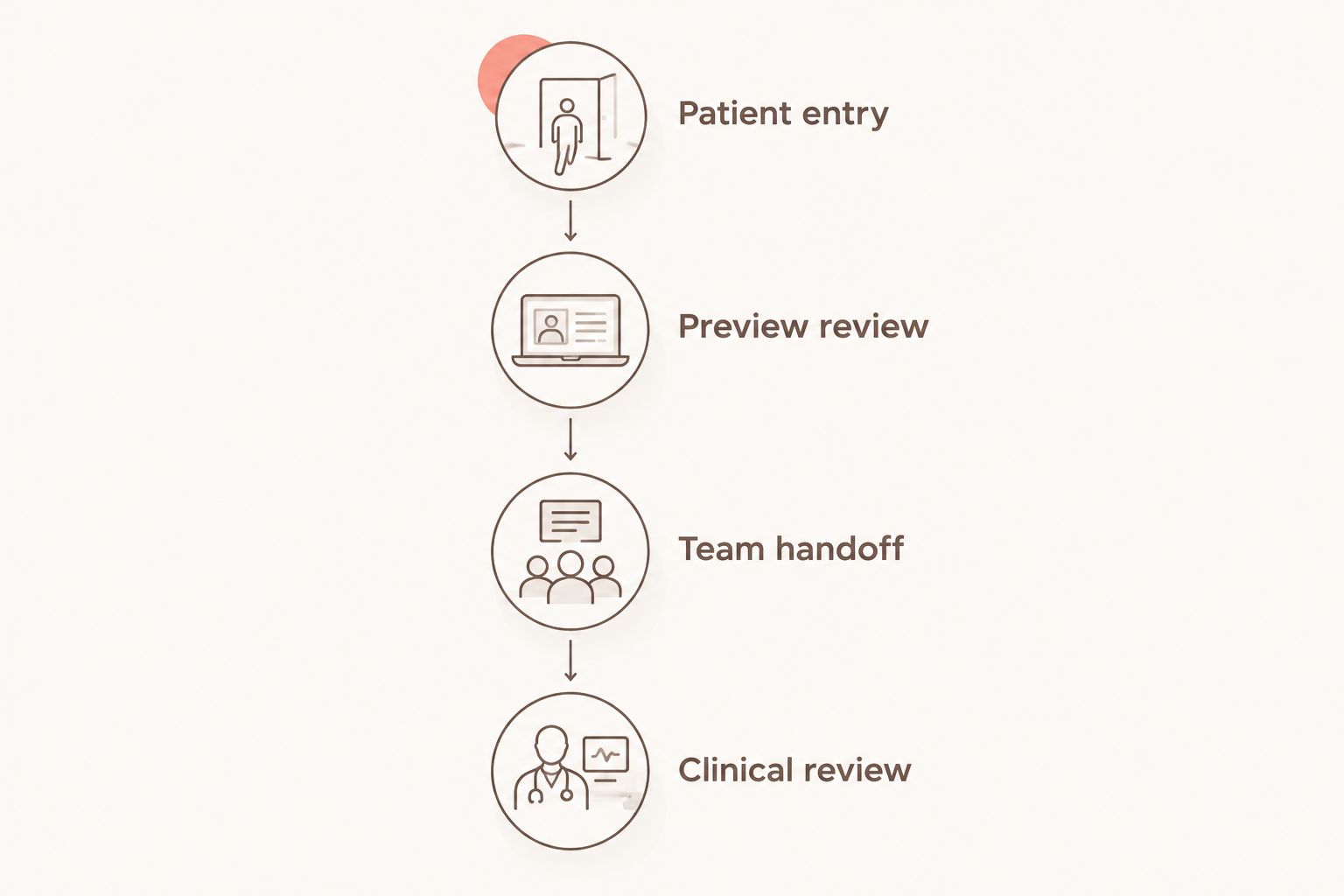
Hypothetical example: A prospective patient submits a photo and asks whether a particular cosmetic treatment is appropriate. Your evaluation should establish who receives that question and how the practice routes it for clinical review. Do not treat an automated response or a preview as the clinical answer.
The benefit of evaluating a combined app is the ability to examine connected activities in one buying conversation. The trade-off is a wider review: you must assess the preview, follow-up, and consultation experience rather than approving the product on image appearance alone.
Why mobile workflow requirements vary
Your practice’s intended use determines the right test. Use these factors to shape the demonstration, not as assumptions about what a vendor supports:
- Purpose: Decide whether you need an illustrative preview, clinical planning, or a clearly defined relationship between them.
- Audience: Separate what the patient does from what reception, coordinators, and clinicians do.
- Entry route: Demonstrate the route your practice intends to offer rather than an unrelated presentation shortcut.
- Follow-up responsibility: Name the person who handles replies, questions, and requests for human contact.
- Existing tools: Ask about connecting the systems your practice already uses; confirm each proposed connection individually.
- Information handling: Review access, patient information, and the vendor’s current privacy and security documentation before live use.
Integrations require a specific conversation. Describe your existing tools and the task you need connected. Ask what is available now, what requires additional work, and what remains your team’s responsibility. Do not interpret flexibility as universal compatibility.
Test interruptions and different phones
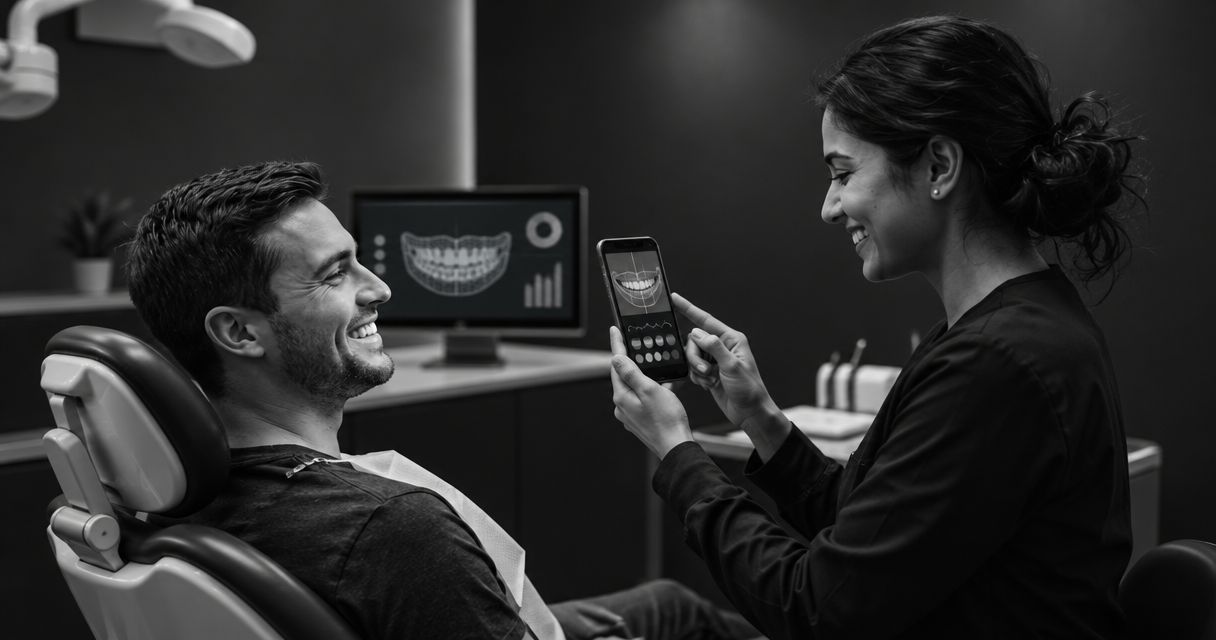
For a practical test, use 2 phones: one representing the patient experience and one representing the staff experience. Where your audience uses different mobile operating systems, include them in the evaluation. This is a test recommendation, not a device-support claim.
Then repeat 3 tasks: submit information, review the preview, and request the next conversation. Introduce an interruption between tasks. Switch away from the page, return later, or move between the parts of the experience the vendor demonstrates.
Record what happens rather than assuming how it should work. Can the user tell where they are? Is a submission still pending? Does repeating an action create uncertainty about whether the request was received?
Ask the vendor to explain recovery when something fails. You need a support path and a clear division of responsibility, not a promise that interruptions never happen. Confirm which issues your team handles and which require vendor assistance.
What should you ask about privacy and clinical responsibility?
Ask for current documentation that your practice can review. Do not treat a sales statement, a screen label, or the presence of a healthcare audience as proof of HIPAA compliance.
Have the appropriate practice reviewer assess the proposed use, information access, relevant agreements, and how patient information is handled. Ask the vendor to explain those topics in plain language. Keep real patient information out of testing until your practice has approved the process.
Clinical responsibility needs the same clarity. Identify who answers treatment questions, who reviews patient-facing explanations, and who decides whether a consultation or further examination is necessary. Software selection does not replace those decisions.
For your 2026 approval, write down 1 accountable owner for the workflow. That person does not need to perform every task. They need responsibility for resolving gaps between the software, staff handoff, and clinical review.
How should you compare demos without getting distracted?
Use the same patient scenario and decision criteria across demonstrations. Separate what the vendor actually shows from what is described as possible. A proposed connection or future capability should not receive the same approval as a demonstrated requirement.
Keep a short decision record:
- Demonstrated: The task was shown in the relevant mobile experience.
- Needs confirmation: A question remains about support, responsibility, or intended use.
- Not suitable: The demonstrated behavior conflicts with a practice requirement.
Do not award a purchase decision to the most attractive preview. Your shortlist should reflect the whole journey, including the points where the app stops and your team takes over.
For Smileo, use the demo to examine its stated combination of AI smile previews, patient nurture, and virtual consultations against your requirements. Check the current pricing separately. Keep your evaluation focused on scope, responsibilities, and fit rather than assumptions about commercial terms.
Book a workflow-focused demo
Ask to see the mobile patient journey, staff handoff, and clinical boundaries.
FAQ
What should I test first in mobile smile design software?
Test the complete patient journey first: entry, photo submission, preview review, and the next conversation. Then check who on your team receives the inquiry and owns the response.
Is an AI smile preview the same as a clinical treatment plan?
An AI smile preview is not a clinical treatment plan or a guaranteed result. Treat it as an illustration for discussion, with clinical suitability assessed separately by the treating dentist.
Do patients need to download an app?
Confirm the access requirements for each product during the demo. Ask the vendor to show the exact patient entry route, including any installation, account, or browser requirements.
Can mobile smile software replace my treatment coordinator?
Do not assume that mobile smile software replaces your treatment coordinator. Define who handles replies, patient questions, consultation requests, and escalation to a clinician.
What should I ask about connecting my existing practice tools?
Ask the vendor to confirm each connection your practice needs. Distinguish an available connection from a proposal, and establish what setup and ongoing work remain with your team.
Is Smileo relevant if I want more than a smile preview?
Smileo is relevant for cosmetic practices evaluating AI smile previews, patient nurture, and virtual consultations together. Confirm the mobile workflow and your practice’s requirements during a demo.
How should I evaluate mobile smile software in 2026?
Evaluate mobile smile software in 2026 using the same patient scenario across vendors. Record demonstrated behavior, unanswered questions, clinical boundaries, information-handling requirements, and staff responsibilities.
One last thing
Ask the volunteer to explain the preview back to you before they request a consultation. Do not supply the wording. Their explanation is a direct check of what the experience communicates—not a prediction of treatment or buying behavior.
Approve the message as carefully as the image. A useful mobile demonstration should leave you clear about what the patient understands, what your team owns, and what still requires a dentist’s judgment.