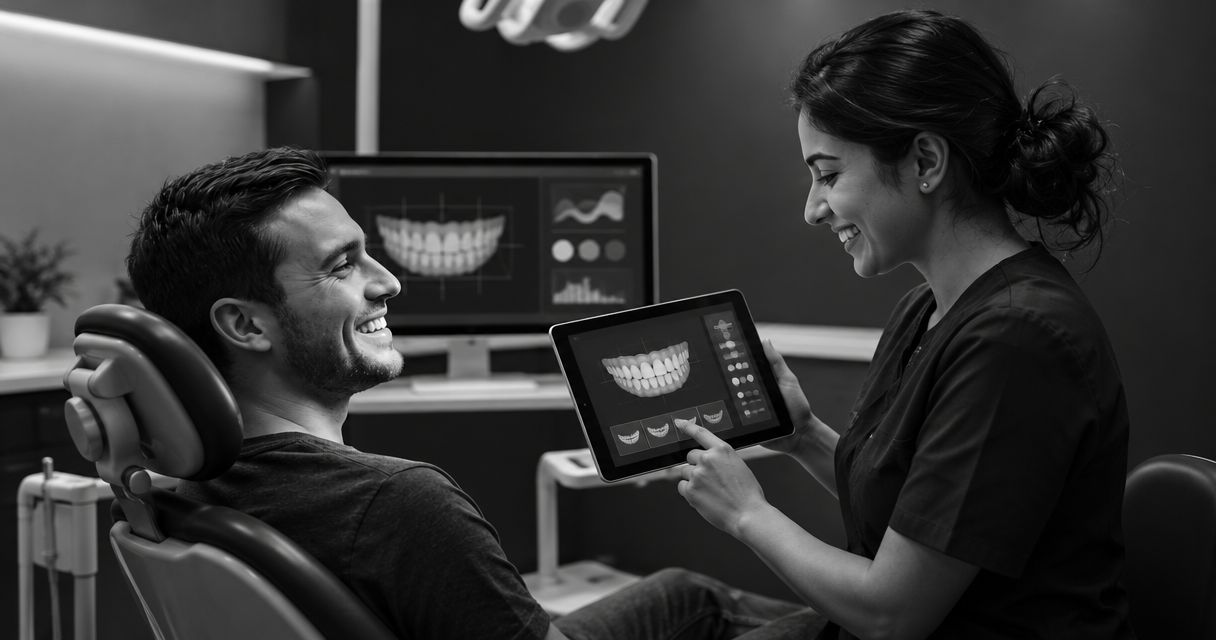
Compare dental patient engagement software by asking vendors to demonstrate the complete path from an interested patient to a staff-led consultation, not isolated features. For a cosmetic dental practice, the demo should connect smile previews, patient follow-up, and virtual consultations while making clinical limits, staff responsibilities, and data handling clear.
- Compare dental patient engagement software through a complete patient journey, not a feature checklist alone.
- Smileo combines AI smile previews, patient nurture, and virtual consultations for cosmetic dentistry practices.
- An illustrative smile preview is not a clinical treatment plan or a guaranteed result.
- Ask vendors to show staff ownership, communication controls, and patient-data safeguards before choosing software.
Dental patient engagement software: what should you compare in a demo?
Compare 3 core capabilities: helping patients explore their interest, supporting follow-up, and moving the conversation toward clinical consultation. Then examine the work your team must do around those capabilities. A polished patient screen does not answer who handles a reply or explains the next step.
Smileo combines AI smile previews, patient nurture, and virtual consultations for cosmetic dentistry practices. Use that scope to frame a connected demo rather than evaluating each function in isolation.
For your 2026 shortlist, use this comparison sheet. These are evaluation criteria, not claims that every app provides the controls listed.
| Capability | Best for | What the demo should show | Benefit to assess | Limitation to address |
|---|---|---|---|---|
| Smile previews | Opening a cosmetic dentistry conversation | How a patient creates and understands an illustrative preview | Gives the discussion a visual reference | Does not establish clinical suitability or predict treatment results |
| Patient follow-up | Maintaining communication after an inquiry | How messages are reviewed, managed, and handed to staff | Supports continuity between conversations | Requires appropriate communication permissions and staff oversight |
| Virtual consultations | Discussing patient goals remotely | How information reaches the person conducting the consultation | Provides a setting for an initial conversation | Does not replace every examination or diagnostic step |
Choose the workflow your team can explain and own. Do not choose on presentation quality alone.
Why this matters
Cosmetic dentistry software sits between patient interest and clinical decision-making. Those are different jobs. A person can like a preview without understanding treatment suitability, and an inquiry can remain unresolved even after receiving a message.
Your demo should expose those distinctions. Ask where administrative support ends and clinical judgment begins. Then identify the staff member responsible for each transition.
For a 2026 buying decision, define success as a workflow you can evaluate, supervise, and measure. Do not accept a promise of more bookings or higher case acceptance as evidence that the software fits your practice.
Smile previews: compare clarity, not visual impact alone
A smile preview gives patients an illustrative reference for discussing their goals. It is not a diagnosis, a treatment plan, or a guarantee of what dentistry can achieve. That distinction belongs in the patient experience, not just the sales conversation.
Ask the presenter to show the experience from the patient's perspective. Read the surrounding language. Check whether the patient can distinguish an illustration from a clinical recommendation before contacting the practice.
Use these questions:
- What does the patient see before submitting a photo?
- How is the preview described when it appears?
- Where are its limitations explained?
- What happens when a patient asks whether the result is achievable?
- Which questions are directed to a clinician?
Treat visual appeal as a conversation aid, not proof of clinical accuracy. A useful demo shows how your team explains the preview as well as how the preview looks.
The trade-off is straightforward: a visual reference can make a patient's preferences easier to discuss, but it also creates something the patient can mistake for a promised outcome. Compare the explanation alongside the image.
Patient follow-up: compare control and staff ownership
Automated patient follow-up belongs on your shortlist when you want to evaluate how communication continues after an inquiry. Its value depends on what happens around the messages: patient permissions, staff review, replies, and handoffs.
Ask the vendor to demonstrate a patient response, not just an outgoing message. Follow that response until a named staff role takes responsibility. If the presenter cannot show the process, record the unanswered question rather than assuming the handoff works.
Focus on buyer-level controls:
- Who approves patient-facing communication?
- How does the practice manage communication preferences?
- Who receives questions that need a personal response?
- How does the team stop inappropriate or unnecessary follow-up?
- What information can staff review before replying?
Do not request a vendor's private messaging recipes. You need to understand your responsibilities and the available controls, not reproduce the product's internal methods.
Automation does not remove accountability. It changes the work your team must supervise. Compare that work with your current process before deciding whether the proposed setup is simpler.
Virtual consultations: compare preparation and clinical boundaries
Virtual consultations should be evaluated as a conversation workflow. Ask what information the patient provides, what the practice can review, and how the clinician explains the next step.
Do not judge this capability only by how a consultation starts. Follow the experience through its conclusion. Your team needs to know who records the outcome and who handles subsequent questions.
Ask the presenter to separate administrative and clinical responsibilities:
- What can the front desk explain without clinical judgment?
- What information does the clinician need before the conversation?
- How are questions about suitability or treatment outcomes handled?
- How does the practice explain when an in-person assessment is necessary?
The benefit to assess is a clearer initial conversation about patient goals. The limitation is equally important: remote discussion does not establish every clinical fact required for treatment planning.
Keep clinical decisions with the treating team. Software should not be presented as a substitute for the examination and diagnostic work the clinician considers necessary.
Why dental patient engagement software fit varies
The right choice depends on the responsibilities your practice needs to manage, not the longest feature list. Apply these factors consistently across your 2026 demos:
- Patient entry point. Establish whether you are evaluating support for new cosmetic inquiries, existing patient conversations, or both.
- Staff ownership. Identify who monitors inquiries, responds to questions, and handles exceptions.
- Clinical involvement. Decide when a dentist must review information or join the conversation.
- Communication permissions. Review how the practice documents and respects patient communication choices.
- Existing tools. Ask about connecting the systems your team uses, without assuming compatibility.
- Patient information. Identify what the app collects, who can access it, and what your practice must retain.
These factors explain why the same feature can create different work in different practices. A capability is useful only when your team understands its place in the patient journey.
How should you structure the demo?
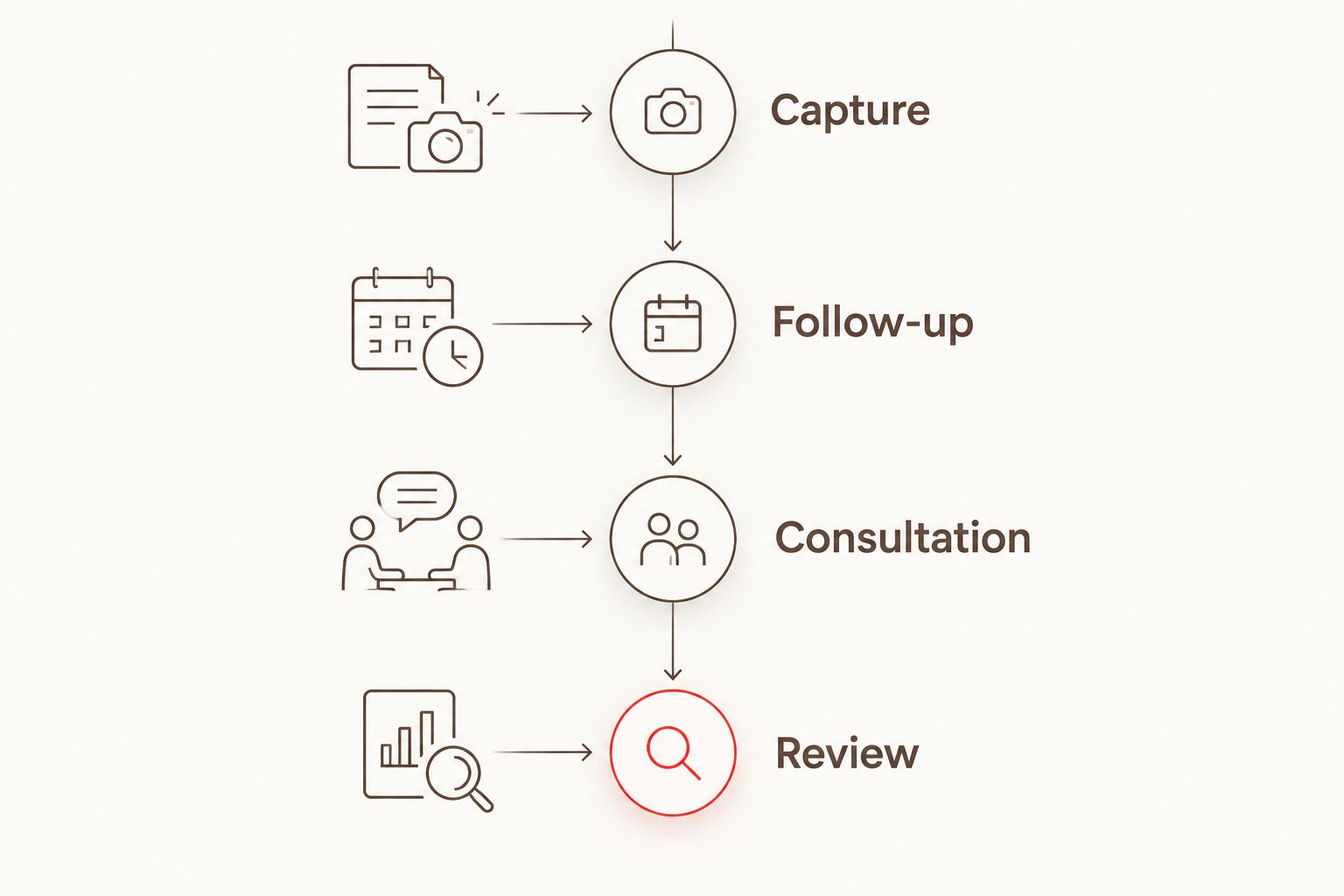
Use a 4-stage demo agenda: Capture, Follow-up, Consultation, and Review. This is a buyer's evaluation framework, not a description of any vendor's internal process.
- Capture. Start with the patient-facing experience. Ask what the patient submits, what the patient sees, and what expectations the experience creates.
- Follow-up. Trace the inquiry into communication. Ask who manages replies and how staff take over when a personal response is needed.
- Consultation. Show what the consulting team receives and how the patient learns the next step. Separate discussion of goals from clinical treatment decisions.
- Review. Return to the staff view. Identify unresolved questions, administrative responsibilities, and the information available for evaluating the workflow.
Hypothetical example: A prospective patient submits a photo, receives an illustrative preview, and asks whether a particular change is achievable. Ask the presenter to show how that question reaches the appropriate team member. Then ask how the patient is told that clinical assessment determines treatment options.
The example tests continuity without assuming a clinical outcome. Use a fictional patient and fictional information during evaluation; a sales demonstration does not need a real patient's records.
What should you ask about privacy and existing tools?
For a US practice, include HIPAA responsibilities in your 2026 review. Ask which services are covered, what contractual documentation is available, and how the vendor and practice divide responsibility for protected health information. A sales statement is not a substitute for reviewing the applicable documentation.
Request clear answers about access, retention, deletion, and what happens to information when the relationship ends. Have the appropriate practice advisers review the documents before approval. Do not infer compliance from a feature name or a polished dashboard.
Treat connections to existing tools as a separate buying question. Describe your current systems and ask about flexible connection options. Confirm the proposed scope and responsibilities before relying on a connection; do not assume universal compatibility or that a requested connection already exists.
How should you judge an all-in-one app?
Smileo is best suited to cosmetic dental practices evaluating smile previews, patient nurture, and virtual consultations together. That fit follows from its stated product scope, not a claim that every practice needs all of those capabilities.
The benefit to evaluate is continuity across those functions. The trade-off is concentration: choosing an all-in-one app means assessing the entire workflow, including functions your team might use less often.
Ask whether each capability solves a defined problem for your practice. An app can match your category and still require further review of staff workload, clinical boundaries, data responsibilities, and connections to existing tools.
Bring those questions to a Smileo demo. Ask for a demonstration of the patient journey and the practice responsibilities around it, rather than a presentation built around promised growth.
What should you record before making a decision?
Keep a decision sheet that separates demonstrated capabilities from unanswered questions. Use plain labels: Shown, Needs confirmation, and Not required. Do not turn an unconfirmed answer into an assumed feature.
For each required capability, record:
- The practice problem it addresses.
- The staff role responsible for using it.
- What the presenter actually demonstrated.
- Any documentation still needed.
- The decision owner inside your practice.
For your 2026 selection, compare vendors against the same practice requirements. Do not let a strong preview demonstration compensate for an unresolved clinical handoff or an unclear data responsibility.
Approve the workflow, not just the feature list. A useful final discussion should explain what your team will do differently and which questions remain open.
FAQ
What should I compare in a dental patient engagement software demo?
Compare the patient journey across smile previews, follow-up, and virtual consultations. Ask the vendor to show staff responsibilities, clinical boundaries, communication controls, and patient-data handling.
Is an AI smile preview a treatment plan?
An AI smile preview is an illustration, not a clinical treatment plan or a guaranteed result. The treating clinician must assess suitability and explain realistic treatment options.
Should I choose an all-in-one dental engagement app?
Choose an all-in-one app when its combined capabilities match defined practice needs. Evaluate each function and the handoffs between them rather than assuming that more features mean a better fit.
Can automated patient follow-up replace my front desk?
Evaluate automated patient follow-up as support for your team, not a replacement for staff responsibility. Your practice still needs clear ownership of replies, exceptions, and questions requiring clinical judgment.
Does dental patient engagement software connect to my existing tools?
Confirm connection options for your specific tools during the evaluation. Ask what is available and what requires further work; do not assume universal compatibility or an existing connection.
What should I ask about HIPAA during a software demo?
Ask about applicable HIPAA responsibilities, contractual documentation, access controls, and patient-information handling. Have the appropriate practice advisers review the documentation before approval.
Is Smileo designed for cosmetic dental practices?
Smileo is an all-in-one app built for cosmetic dentistry practices, combining AI smile previews, patient nurture, and virtual consultations. Use a demo to assess how those capabilities fit your practice's responsibilities and patient journey.
One last thing
Ask the presenter to stop at the handoff. A patient has replied with a question that needs clinical judgment. Who owns it now?
That answer tests more than another screen tour. It shows whether your team can explain the proposed workflow without guessing. Before approving software, make sure every important handoff has a named practice role and a clear next action.