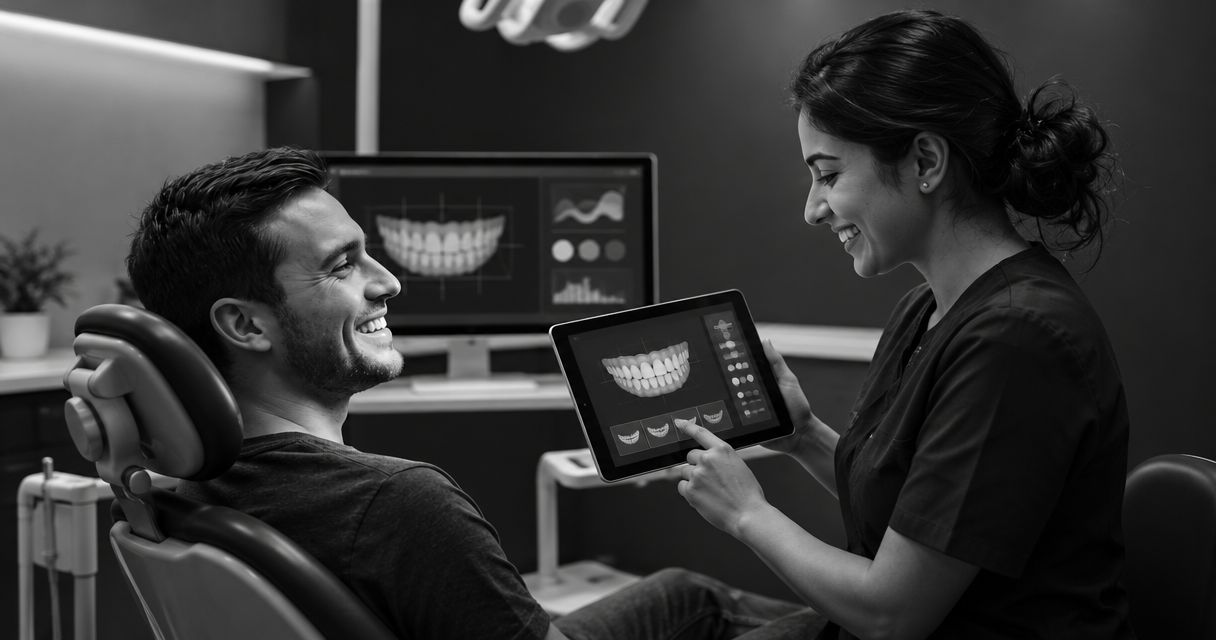
Choose digital smile design software by the job you need done: patient preview or clinical treatment planning. A preview supports a conversation about appearance; clinical planning supports a clinician’s treatment decisions. Neither an illustrative image nor a software demonstration establishes what treatment is appropriate for an individual patient.
- Choose digital smile design software by purpose: patient communication or clinical planning, not image quality alone.
- Smileo combines AI smile previews, patient nurture, and virtual consultations for cosmetic dentistry practices.
- Treat an AI smile preview as an illustration, never a treatment plan or guaranteed result.
- Ask vendors to demonstrate staff responsibilities, clinical boundaries, and connections with your existing tools.
Digital smile design software: preview or clinical planning tool?
The category name alone does not answer the question. Evaluate what the software produces, who uses that output, and what decision it supports.
| Buying question | Patient preview | Clinical planning tool |
|---|---|---|
| Best for | Discussing a patient’s cosmetic interests | Supporting clinician-led treatment decisions |
| Primary output to evaluate | An illustrative view of a possible appearance | Clinical planning information relevant to the intended treatment |
| Main benefit | Gives the conversation a visual reference | Supports assessment and planning within its documented scope |
| Main limitation | Does not establish clinical suitability | Does not automatically provide patient follow-up or consultation management |
| What to verify | How expectations and next steps are explained | Intended use, required records, and clinician review |
Smileo is best for cosmetic dental practices evaluating smile previews, patient nurture, and virtual consultations in one app. Evaluate that combination as a practice-growth workflow, not as evidence of clinical treatment-planning capability.
Why this matters
A convincing image and a usable treatment plan answer different questions. Your buying process should keep those questions separate, even when a vendor presents them in the same demonstration.
For your 2026 software shortlist, write down the problem before listing features. Are interested patients struggling to explain their goals? Is your team struggling to manage inquiries? Or do clinicians need a different planning workflow?
Do not buy a planning tool to solve a follow-up problem. Do not buy a preview app expecting it to establish treatment suitability. A product can be useful without covering both jobs.
The distinction also changes who should evaluate the purchase. Practice managers need to assess responsibilities and handoffs. Clinicians need to assess the limits of the output. Both groups need a clear explanation of what patients will see.
Patient preview: best for visual conversations
A patient preview gives your team something specific to discuss. The patient can point to an appearance they like, explain a concern, or ask whether a change is realistic. That conversation remains exploratory.
The buying question is not simply whether an image looks appealing. Ask whether the preview helps your team explain uncertainty without turning an illustration into an implied promise.
What to ask during the demonstration
Ask the vendor to show how a preview is introduced and how the patient is directed toward clinical assessment. Review the surrounding wording, not just the image itself.
- Is the output clearly described as illustrative?
- Can staff explain what the preview does not establish?
- What happens when a patient asks whether the appearance is achievable?
- Who owns the next conversation?
The benefit is a shared visual reference. The limitation is that appearance alone does not establish a treatment pathway. Keep both points in your evaluation notes.
A useful demonstration leaves room for clinical judgment. If the presentation jumps from an attractive preview directly to a promised result, ask the vendor to separate patient engagement from treatment recommendations.
Clinical planning: best for clinician-led decisions
Clinical planning software should be evaluated against the clinical task your dentists intend to perform. Start with the required decisions and records. Then ask the vendor to demonstrate how its documented capabilities support them.
Do not assume every product marketed under digital smile design software has the same intended use. A shared category label does not prove equivalent clinical scope.
What your clinical reviewer should establish
Ask a clinician from your practice to identify which records, review steps, and outputs matter for the intended workflow. Have the vendor address those requirements directly rather than substituting a general feature tour.
Your review should distinguish what the software generates from what the clinician must assess. Request documentation for any claimed clinical use, and confirm who remains responsible for approving the plan.
The benefit is support for a defined planning task. The limitation is that planning capability does not establish patient-engagement capability. If inquiry management is also part of the purchase, evaluate it separately.
For a 2026 purchase, save the documentation that supports your decision. A demonstration is useful context; written scope gives your team something concrete to review before committing.
Why the right software choice varies
The right choice depends on where your practice needs support. Use these factors to explain differences between shortlisted products without treating a longer feature list as an automatic advantage.
- The decision being supported. Discussing appearance is different from selecting or planning treatment.
- The person using the output. A patient-facing illustration and a clinician-facing planning output need different explanations.
- The required clinical records. Your clinical team should define what is necessary for the intended assessment.
- The handoff between staff members. Identify who responds to inquiries, arranges consultations, and handles clinical questions.
- The role of existing tools. Ask how a proposed app fits your current setup instead of assuming it replaces everything.
- The handling of patient information. Review access, responsibilities, and applicable privacy requirements before introducing patient data.
These are buying criteria, not promises about any particular vendor. Ask each supplier to show evidence against the same requirements so your comparison stays focused.
How should you evaluate the workflow in a demo?
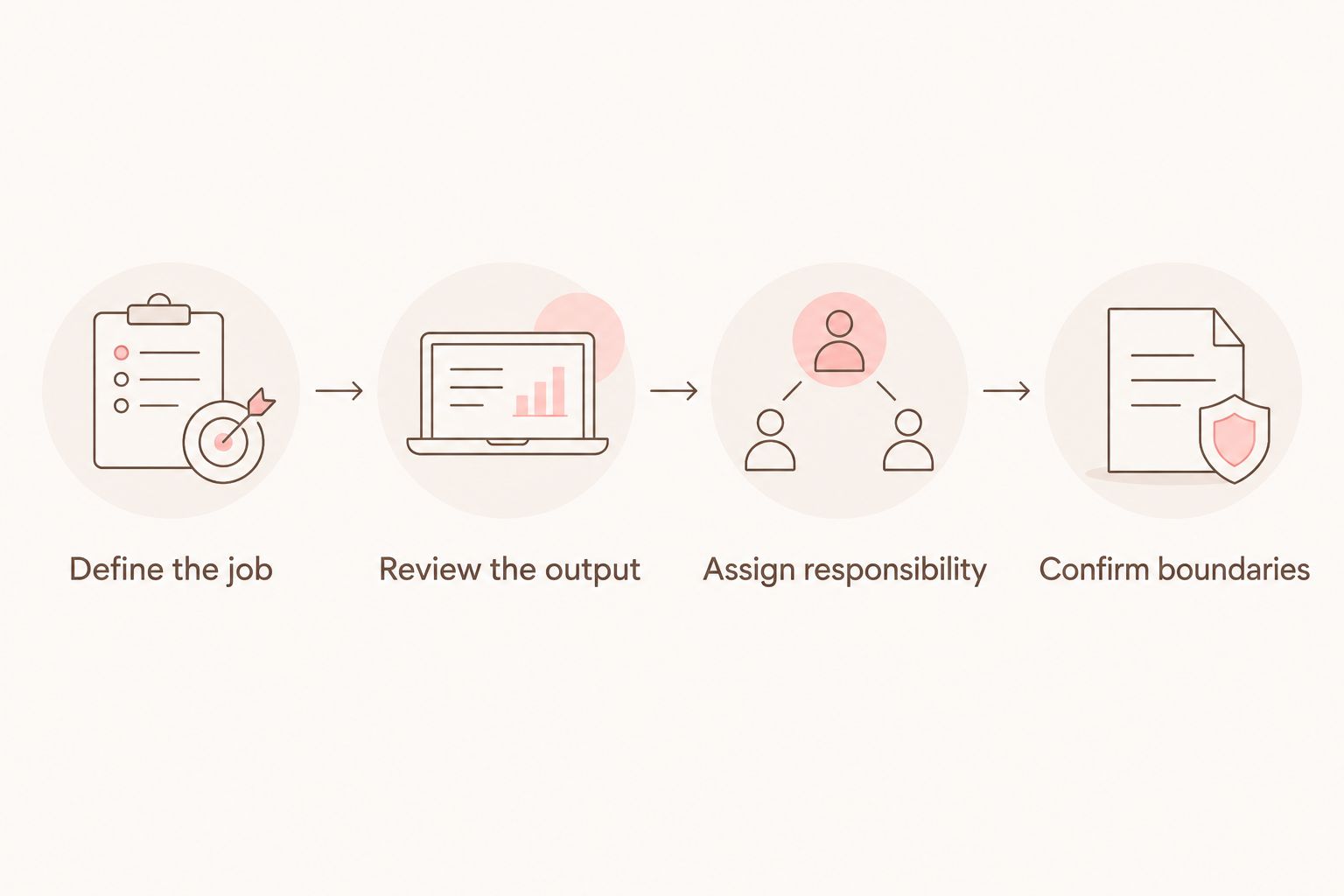
Use a short evaluation sequence rather than letting the demo follow the vendor’s preferred feature order. Your goal is to understand what your team will own after purchase.
Define the job
State the purchase objective in plain language. For example: help prospective patients discuss cosmetic goals, organize follow-up, or support a specified clinical planning task.
Keep the objective narrow enough to test. A request to improve everything makes it difficult to distinguish a useful capability from an interesting extra.
Review the output
Ask to see what the intended user actually receives. For a preview, review the image and its explanation. For planning, have your clinician review the output against the intended clinical task.
Do not accept a polished presentation as a substitute for understanding the output’s limits. Ask what decisions the output is not intended to support.
Assign responsibility
Identify the practice role responsible for each handoff. Who answers a nonclinical inquiry? Who reviews a clinical question? Who makes sure a patient understands the next step?
Automation does not remove the need for ownership. Your staff should leave the demonstration knowing where their judgment and action are required.
Confirm boundaries
Document what the product includes and what your practice must handle elsewhere. Ask about connections with existing tools, access permissions, and the information needed to assess fit.
For your 2026 evaluation, keep open questions separate from confirmed capabilities. A proposed connection is not the same as an available connection.
A hypothetical practice example
Hypothetical example: A cosmetic dental practice wants to give interested patients a way to explore appearance goals and discuss next steps. Its clinicians already have a separate process for assessment and treatment planning.
That practice should evaluate the preview, patient follow-up, and consultation workflow first. It should not make a purchase decision based on planning features it has not identified a need for.
Now change the problem. If the clinicians need support for a defined planning task, the clinical requirements become the starting point. The same attractive preview no longer answers the central buying question.
What should you check beyond the preview?
The patient-facing image is only part of a practice-growth software decision. Follow the inquiry far enough to understand the responsibilities around it, without trying to reproduce a vendor’s internal methods.
Follow-up ownership
Ask how your team supervises patient communication and handles replies that require human attention. Establish who is responsible for checking that questions reach the appropriate person.
Smileo includes automated patient follow-up within its stated offering. During a demo, ask how that capability fits your practice’s communication responsibilities; do not assume it eliminates staff oversight.
Virtual consultation boundaries
Ask what the consultation workflow is intended to accomplish. Clarify how your clinicians distinguish an initial conversation from any examination, records, or further assessment needed for treatment decisions.
Avoid treating a virtual consultation as a promise that every case can be assessed remotely. Your clinicians should define the boundaries for your practice and the applicable requirements.
Existing tools and patient information
Ask about flexible integration options and describe the tools your team already uses. Request confirmation of the particular connection you need rather than assuming universal compatibility.
For a 2026 review, include patient-information handling in the buying discussion. Ask for current documentation relevant to your practice’s privacy and security obligations, including applicable HIPAA responsibilities. Do not infer compliance from a healthcare-focused sales message.
Can digital smile design software replace clinical assessment?
An illustrative smile preview cannot replace clinical assessment. It shows an appearance concept, not proof that a particular treatment is suitable or that the pictured result is achievable.
Keep that distinction visible in patient communication. Staff should refer clinical suitability questions to the treating clinician rather than interpreting the image as a recommendation.
Do you need both preview and planning software?
You need both capabilities only when your practice has defined a job for each. They do not have to come from the same product, and neither category label proves that a vendor covers the other workflow.
Map your current responsibilities before adding software. If your clinical planning process already meets your needs, evaluate a preview and follow-up app against the remaining gap rather than replacing a process without a reason.
What should you ask in a Smileo demo?
Ask Smileo to demonstrate how its smile previews, patient nurture, and virtual consultations fit your practice’s responsibilities. Bring a typical inquiry scenario and ask where your staff and clinicians need to act.
Keep the questions practical. What will the patient see? Which questions require clinical review? What needs confirmation before connecting an existing tool? Request a demo with those questions ready, rather than asking for a general tour.
FAQ
Is digital smile design software a preview tool or a planning tool?
Digital smile design software can refer to patient-preview software or clinical planning software. Check the product’s documented purpose and actual output rather than relying on the category name.
Does an AI smile preview show a guaranteed treatment result?
An AI smile preview does not show a guaranteed treatment result. It is an illustration that must remain separate from clinical assessment and treatment recommendations.
What’s the best digital smile design software for my cosmetic practice?
The best fit is the software that supports your defined task and staff responsibilities. Separate patient engagement requirements from clinical planning requirements before comparing vendors.
Can automated patient follow-up replace my treatment coordinator?
Do not treat automated patient follow-up as a replacement for practice responsibility. Identify who supervises communication, answers questions, and directs clinical concerns to a clinician.
Does Smileo offer clinical treatment planning?
Smileo’s stated offering combines AI smile previews, patient nurture, and virtual consultations. Do not assume clinical treatment-planning capability from that description; assess any additional requirement directly with the vendor.
What should I ask about connecting my existing practice tools?
Ask the vendor to confirm the specific connection your practice needs. Discuss your existing tools and required workflow without assuming universal compatibility or that a proposed connection is already available.
What should I prepare before a software demo?
Prepare a typical patient inquiry, your current handoffs, and the decision you want the software to support. Ask the vendor to demonstrate those requirements and identify what remains your team’s responsibility.
One last thing
The most useful demo question is about the boundary: what should your team never infer from this output? An answer to that question helps you judge the image, the patient message, and the responsibilities around both.
Before approving a 2026 purchase, ask your practice manager and clinical reviewer to describe the product’s job independently. If one expects patient engagement and the other expects treatment planning, resolve that mismatch before signing.